


 Hashtags are everywhere! #Twitter, #Instagram, #Flickr, #GooglePlus, #Facebook, and yes even on #Pinterest.
But Search on Pinterest does not support hashtags.
So what does this mean? You can still use hashtags on Pinterest - but do not use them as your only way to measure awareness, sentiment, analytics, or contest entries.
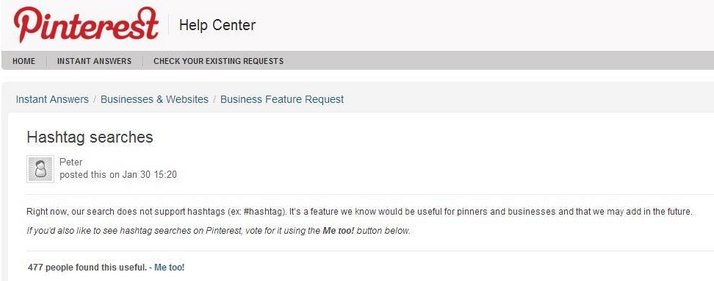
First search and see how the Hashtag is being used:
Do you want your brand or product to show up with other images that are currently using that hashtag?
Make the Hashtag unique:
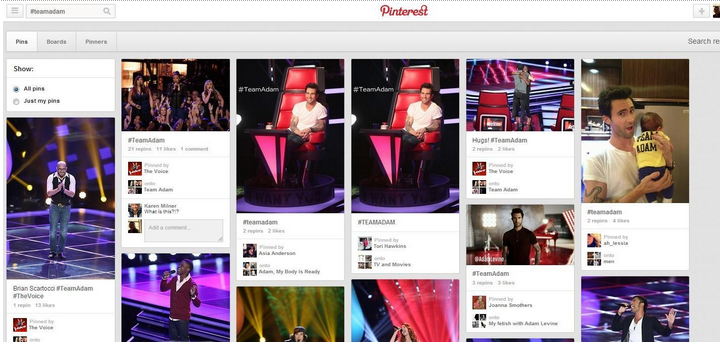
Unique hashtags will populate a relevant gallery. Be creative and make it easy to remember. See how The Voice used #TeamAdam.
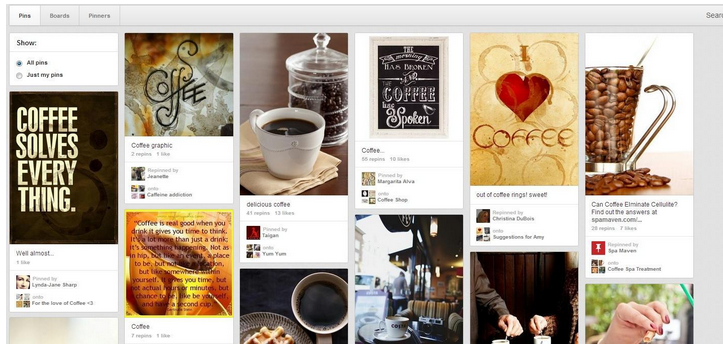
If you hashtag #coffee, you will notice that you will populate a gallery with coffee but most of the images only have the word coffee in the Pin description but only a few have the #. This keyword is too generic.
Use Hashtags in Descriptions:
Hashtags are ONLY clickable in Pin descriptions - hashtags are not active in profile descriptions, board names, or board descriptions.
- Do not over use hashtags or it looks spammy
- Use hashtags to identify your community: See the words they are using with your brand, the lifestyle associated with your brand, and what other brands/products they connect with you
Bonus tip:
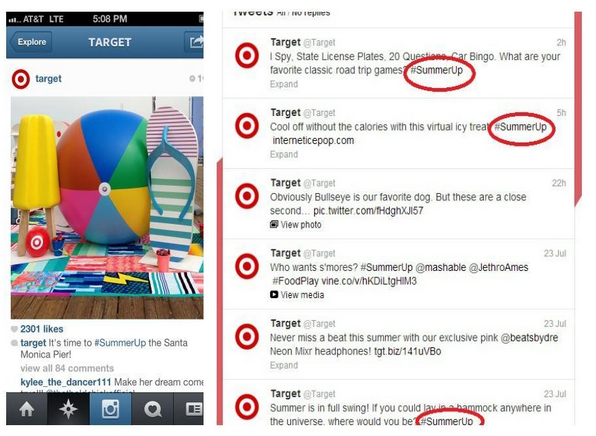
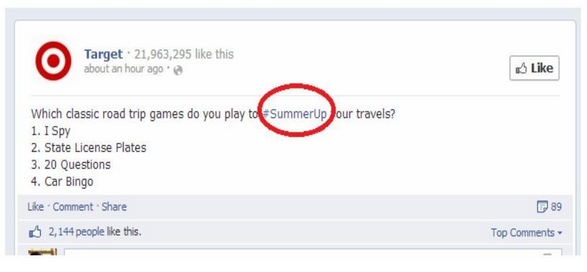
- Use hashtags across multiple social channels to create more awareness
- Target is using the hashtag #SummerUp on Pinterest, Facebook, Twitter, Vine and Instagram
Have you seen other “Pinning” ways to use hashtags on Pinterest? Leave a comment below!
About Guest Poster Kelly:
Kelly Lieberman is a social media manager and consultant. Kelly has been a featured speaker about Pinterest to various organizations including Digital Atlanta, Cox Media Group, and the American Marketing Association.
Kelly is the founder and host of Pinterest Chat#PinChat, a weekly Twitter chat (#Pinchat Wednesdays at
9PM ET) to discuss best practices, tools, new uses, highlight brand usage, personal/professional use for
Pinterest.

Comments are closed.